

2.5K Security Camera Wireless Outdoor, 2.4G WiFi Battery Powered Indoor Camera, Magnetic Mount Cameras for Home Security, AI Detection, Color Night Vision, Spotlight, Siren Alarm, 2-Way Talk
$29.99



Price: $39.99 - $29.99
(as of Apr 29, 2026 07:40:29 UTC – Details)

Product description


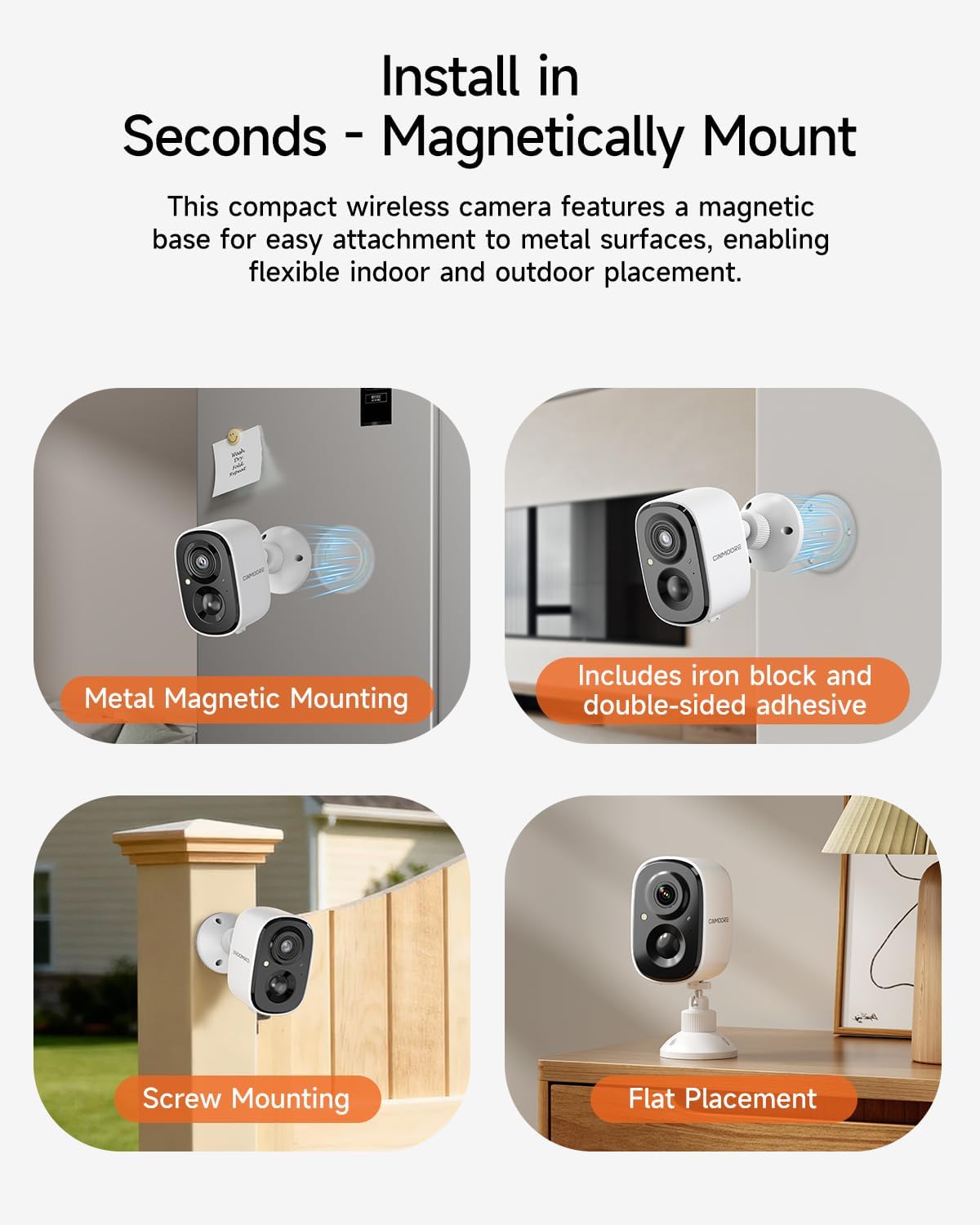
1 Instant Magnetic Mounting
2 Indoor Outdoor Coverage
3 IP65 Weatherproof


1 100% Wire-Free
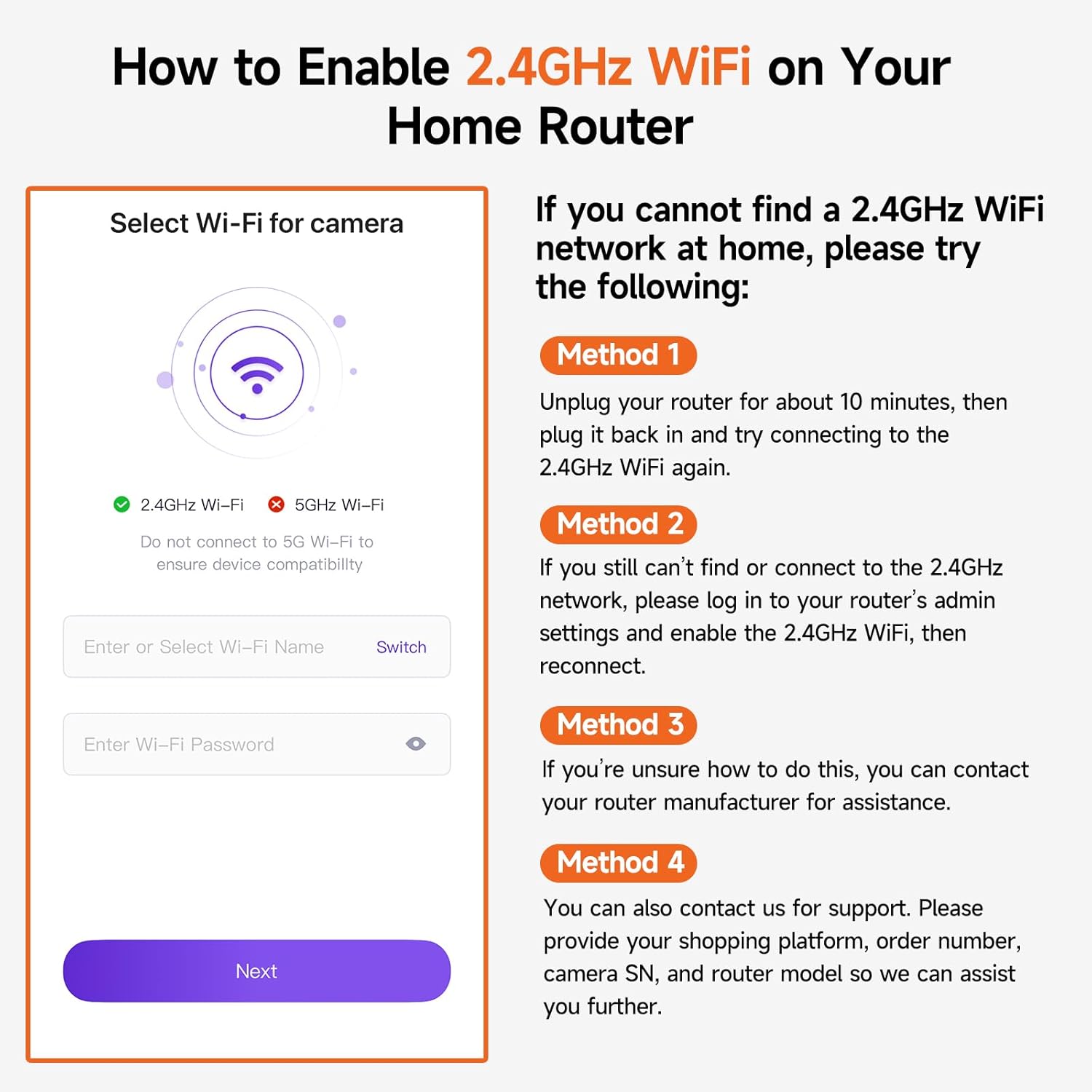
2 2.4GHz Stable Wi-Fi
3 Spotlight Siren Alarm


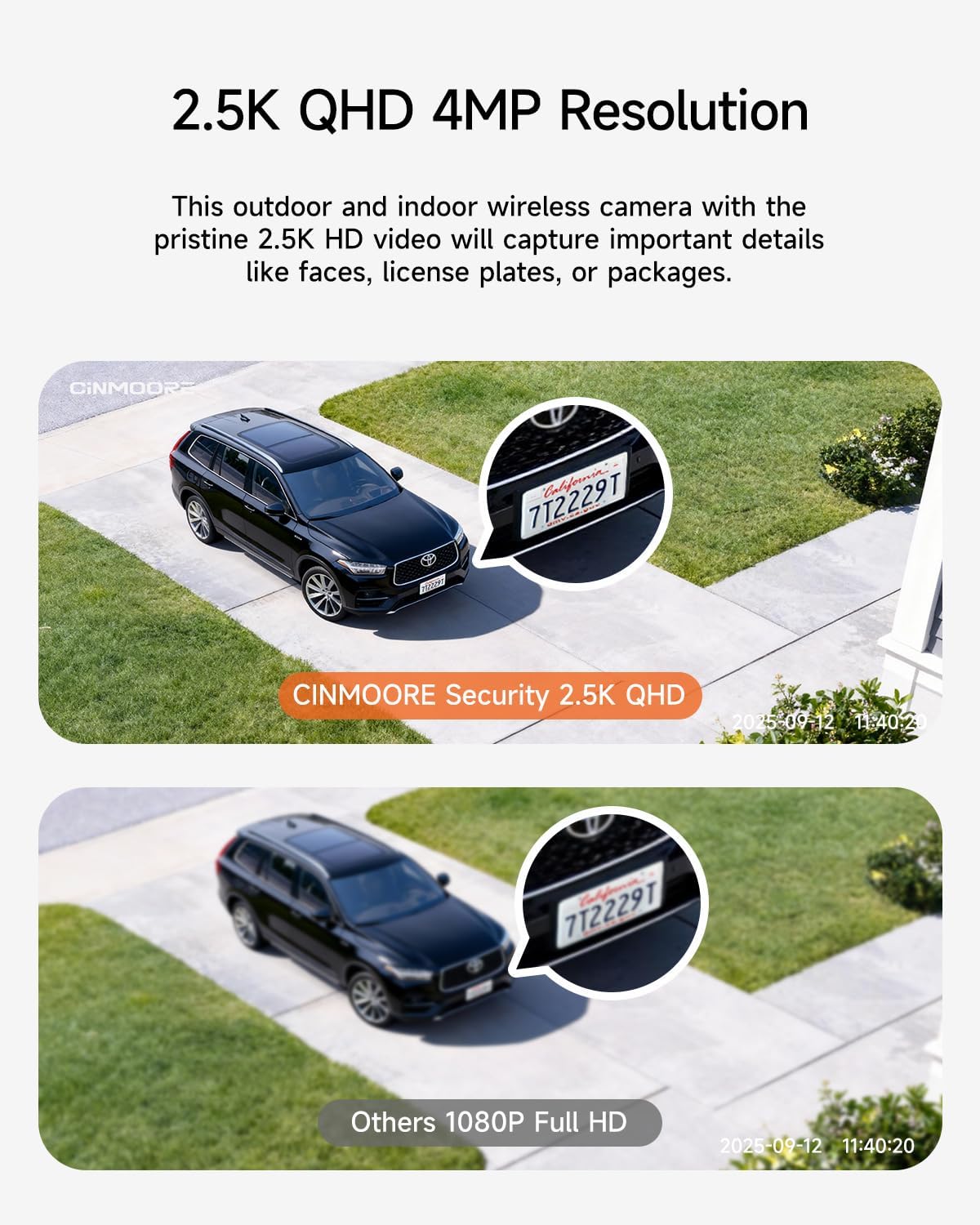
1 2.5K QHD
2 Full-Color Night Vision
3 Full-Duplex Two-Way Audio


1 Smart AI Detection
2 Smart Detection Zones
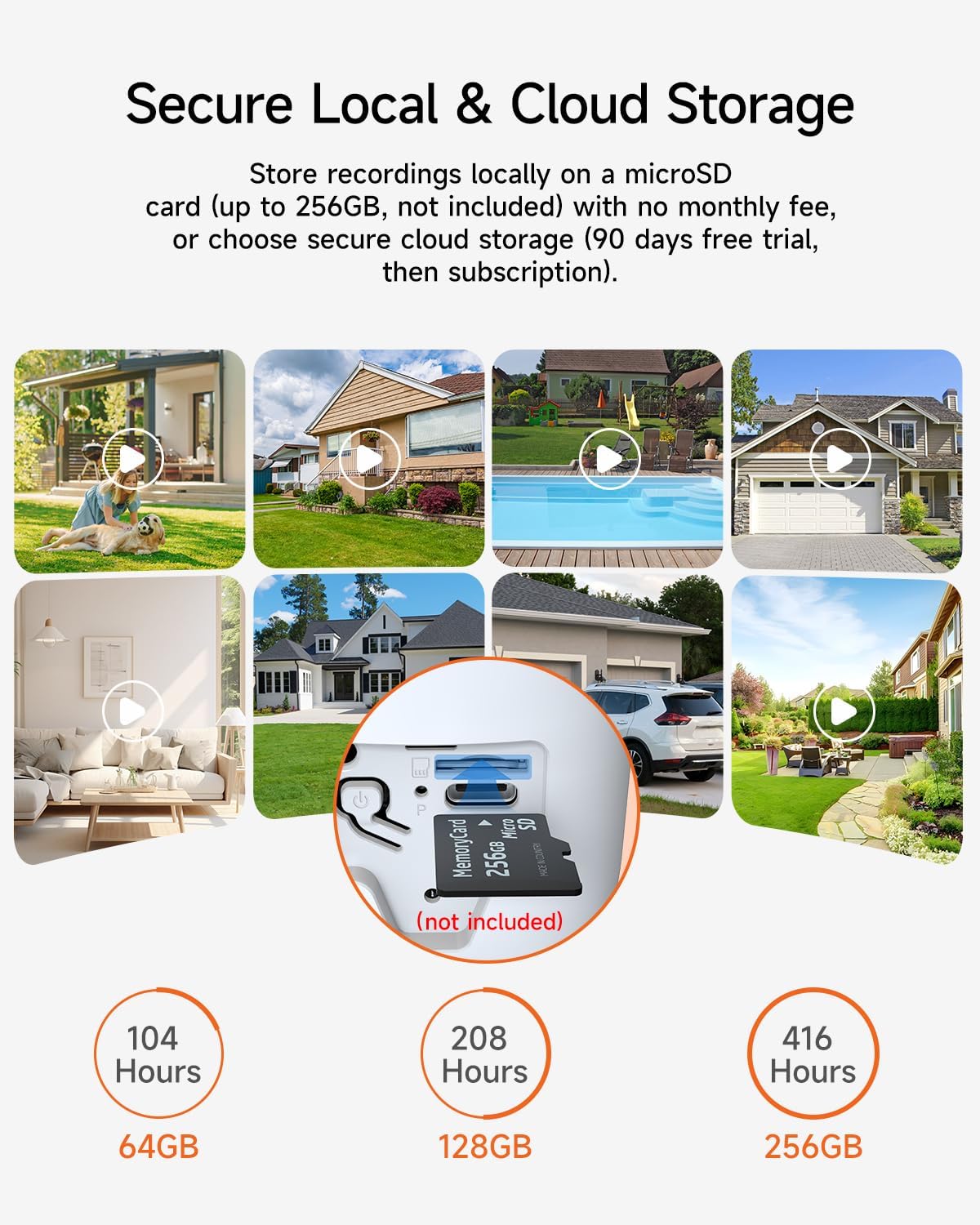
3 Secure Local Storage
Two-way talk feature does not work.
1. Enable your phone’s Microphone Permission for the CINMOORE APP: Settings – CINMOORE APP – Microphone.
2. In the APP Settings > Sound Settings, confirm that both “Live Broadcast Audio Collection” and “Intercom Volume” are enabled.
The camera is turning on and off intermittently.
1. When the battery is low, the camera may automatically hibernate or restart. We recommend fully charging the camera before connecting it to the network for use.
2. Reset the camera and upgrade to the latest firmware via the App.
WiFi connection is failed.
1. Use only a 2.4GHz WiFi network (5GHz WiFi is not supported).
2. Move the camera closer to the router to improve signal strength.
3. Restart both the router and the camera to refresh the connection.
How to allow mutiple users for simultaneous viewing?
Device Sharing Guide:
1. On the App homepage, click the “more” button, select “Share”, generate a device sharing code.
2. Other users to be shared with should download the App, register a new account, scan the sharing code to add the camera
How to save recordings to phone?
1. SD Card Recordings: During playback → Tap ”Screen Record” icon (top-right) → “Recording” prompt appears → Saves to phone gallery.
2. Cloud Recordings: Playback → Tap ”Batch Manage” → Select clips → Tap ”Download” to save to phone.
Cinmoore Camera App Instructions for Recording and Playback
I. Enabling Recording Function
1. Insert Storage Card: Ensure a compatible storage card (e.g., Micro SD card, not included) is inserted into the camera and formatted.
2. Access Live View: Open the app → Select the camera device → Tap the Play button to enter the live view.
3. Start Recording: – Manual Recording: Tap the ”RECORD” button (circular icon). The button turns red/indicates “Recording” to start. Footage saves automatically to the storage card. – Auto Recording: tap the setting icon on the right corner, enable “Event Recording Mode” (Short recordings triggered by motion/sound detection) or ”AOR Mode” (Always-On Recording) in camera settings, not supported in sleep/battery-saving mode.
II. Viewing Playback
1. View SD Card Recordings: – Event Clips (e.g., motion-triggered): Live view → Tap ”Playback” → Select SD card icon (right side) → Tap clips to play. – 24/7 Continuous Recording: Playback interface → Drag the purple timeline slider to target time segments. – Date Selection: Tap the date label (e.g., “Today”) → Choose a date from the calendar → Load recordings.
2. View Cloud Recordings (Subscription Required): Live view → Tap ”Playback” → Switch to cloud icon (right side) → Select event clips to play. Note: Cloud only stores event clips (e.g., alarms), not 24/7 recordings.
III. Saving Recordings to Phone
1. SD Card Recordings: During playback → Tap ”Screen Record” icon (top-right) → “Recording” prompt appears → Saves to phone gallery.
2. Cloud Recordings: Playback → Tap ”Batch Manage” → Select clips → Tap ”Download” to save to phone.
Wire-Free Convenience & Flexible Mounting: Powered by the 5200mAh rechargeable battery, this outdoor camera wireless offers long time wire-free operation. Its strong magnetic mount attaches instantly to any metal surface, or easily hang, screw in, or place on any flat surface for versatile indoor/outdoor placement. Enjoy stable 2.4 GHz Wi-Fi connectivity for reliable transmission without signal drops. (NOTE: 5G WiFi is not supported.)
Smart Person Detection & Custom Zone – NO SUBSCRIPTION: Our security camera outdoor uses advanced human detection to distinguish people from animals, so you only get alerts that matter. Easily set up custom activity zones to monitor critical areas and minimize false alarms from pets or passing cars. All intelligent features are free – no monthly fees.
2.5K QHD with Full-Color Night Vision: This outdoor camera captures crystal-clear footage in 2.5K QHD resolution (2560×1440), ensuring no detail goes unnoticed. Enhanced by advanced Color Night Vision technology and integrated LED lighting, this security camera delivers vibrant, true-color imaging at night, ensuring reliable surveillance around the clock.
Two-Way Talk & Smart Instant Siren: Use the built-in microphone and speaker, this wireless home security camera allows real-time, two-way audio via the mobile app – greet visitors, talk to delivery personnel, or warn an intruder. The integrated spotlight and siren is an extra layer of security, illuminating dark areas and warning intruders with a powerful siren.
Supports Micro SD Card & Cloud Storage: This wireless outdoor wifi camera offers both micro SD card and cloud storage options. While the camera itself does not come with an SD card, it supports cards up to 256GB. You can also opt for secure cloud storage to keep your footage online.
User Reviews
Be the first to review “2.5K Security Camera Wireless Outdoor, 2.4G WiFi Battery Powered Indoor Camera, Magnetic Mount Cameras for Home Security, AI Detection, Color Night Vision, Spotlight, Siren Alarm, 2-Way Talk”
Related Products


$29.99

There are no reviews yet.